Free tent card templates
Download a template, place your design on the two faces, and export a PDF. Our templates are free to use for any card, whether you print with us or not.
Download
Each template is the full flat sheet at actual size, with bleed. Guides are on a separate layer or in light colours; remove or hide them before you export.
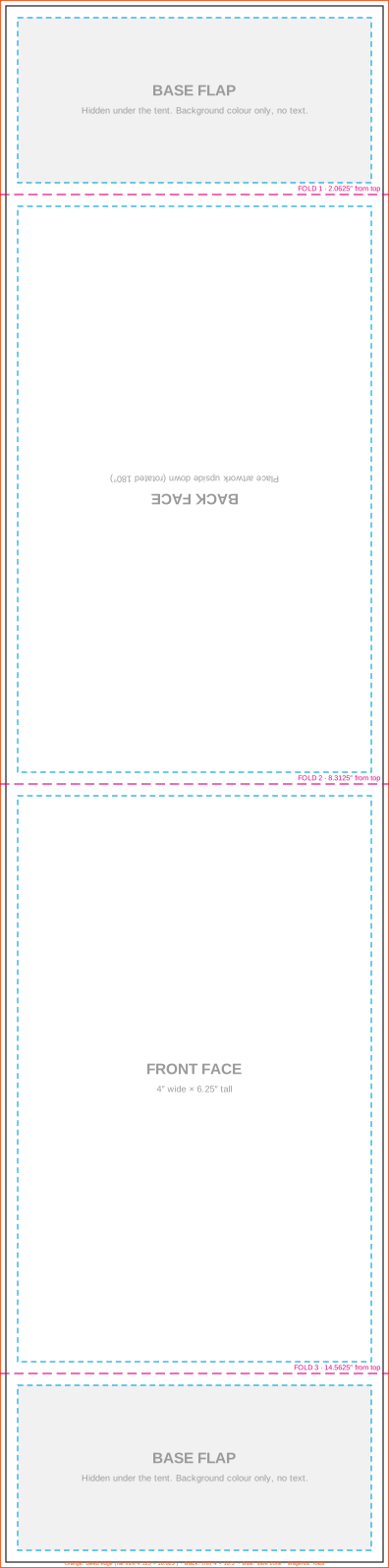
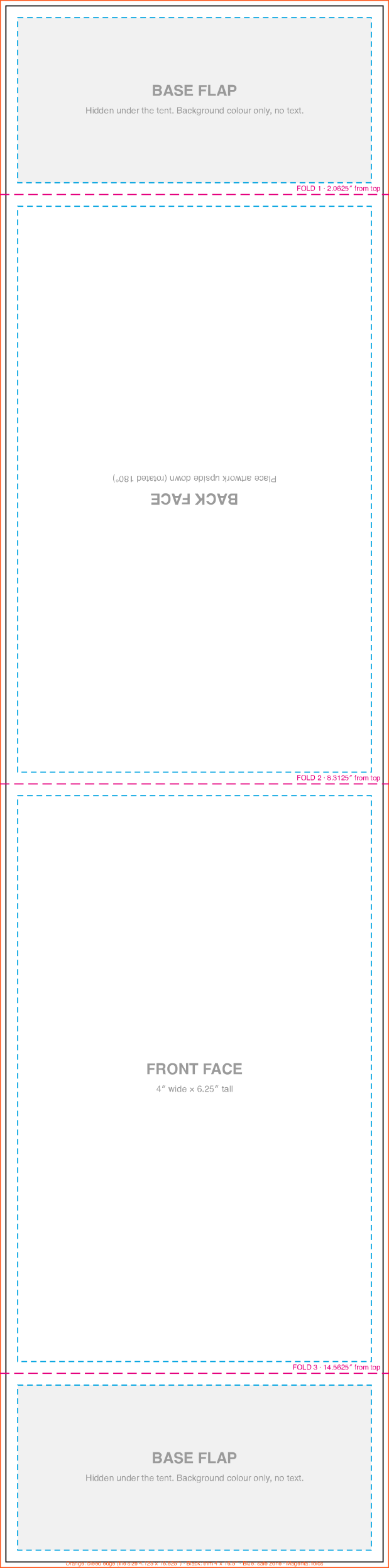
4 × 6.25″ card · file 4.125 × 16.625″
4 × 6.25″ tent card template
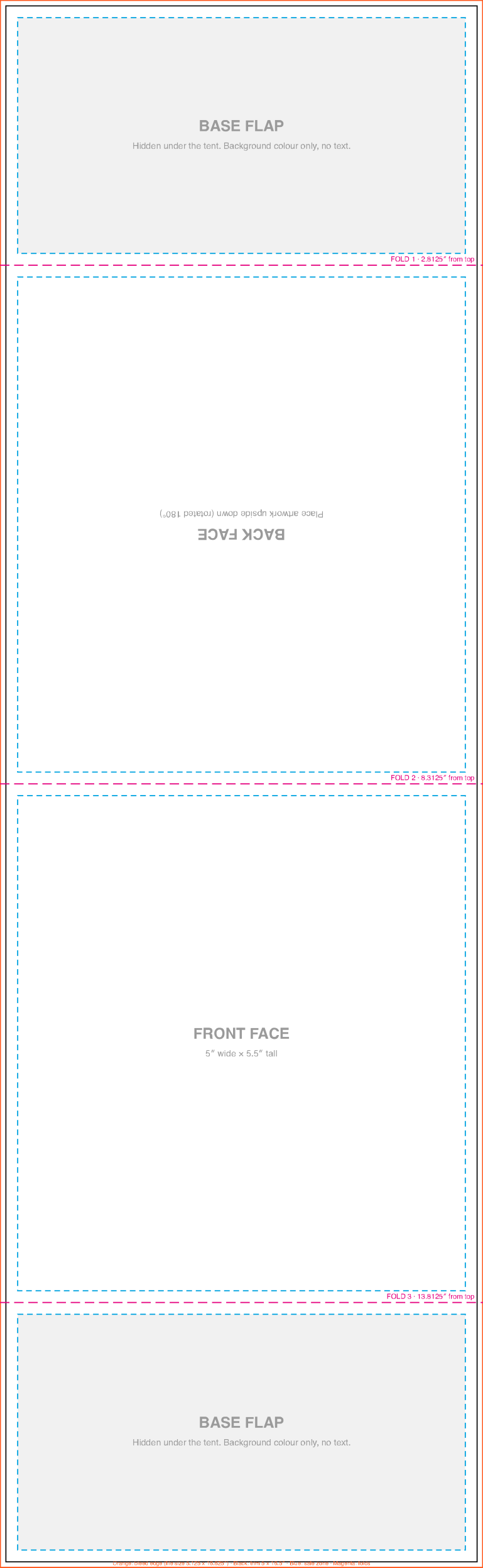
What is on the template
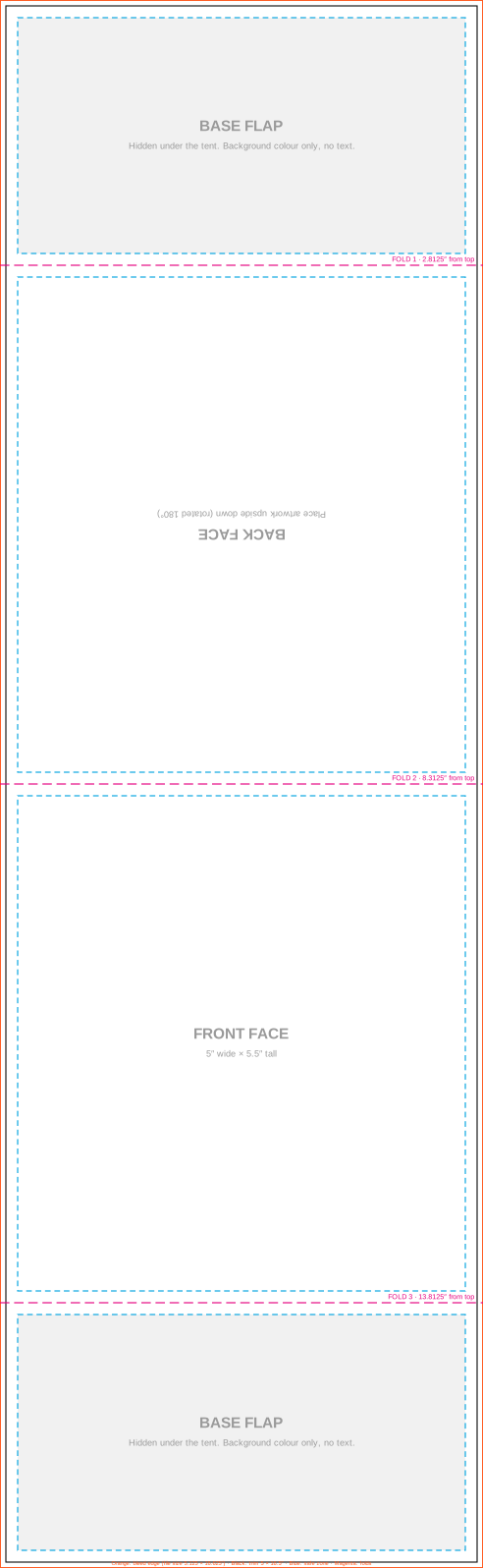
Bleed (outer edge)
1/16″ extra on every side. Run background colour and photos to this edge so no white shows after trimming.
Trim line
Where the card is cut. Anything outside it is trimmed off.
Safe zone
Keep text and logos at least 1/8″ inside the trim and away from the folds.
Fold lines
Three scores turn the strip into a tent: two between the faces and flaps, one at the peak.
Back panel, upside down
The top face folds over, so its artwork must be rotated 180°. The template labels it.
Base flaps
The short ends lock together under the tent. They are hidden on the table, so keep text off them.
Using Canva
Create a custom size
In Canva choose Custom size, switch units to inches and enter 4.125 × 16.625 (or 5.125 × 16.625 for the wider card).
Upload the template as a guide
Upload our PNG or SVG template, place it full size, lower its transparency and lock it.
Design the two faces
Rotate the artwork on the back panel 180°. Keep text inside the safe zone.
Export
Delete the guide layer, then Share › Download › PDF Print with "Crop marks and bleed" off and colour profile CMYK if your plan has it.
Using Word or Google Docs
Set the page
Word: Layout › Size › More paper sizes, 4.125 × 16.625 in, margins 0. Google Docs: File › Page setup, custom size in inches, margins 0.
Place the template behind text
Insert our PNG template as an image, set it Behind text, and stretch it to the page edges.
Add text and rotate the back
Use text boxes for each face. Rotate the back panel text box 180°.
Export a PDF
Delete the template image and save as PDF. Word and Docs export RGB colour; we convert to CMYK and point out any colour shifts on the proof.
Many free "tent card templates" online are made for folding a letter-size sheet on a home printer. Those do not match a professionally printed card. Use a template for the exact size you order.
Template questions
Is there an 8.5 × 11 tent card template?
For home printing, people fold a letter sheet in half or thirds. That is a different product from a printed 14pt tent card and will not line up with our sizes. Use our templates for anything you send to print.
Do you have an Avery template?
Avery templates are for Avery's own perforated sheets. Our cards are a different size and fold, so use the templates on this page.
Can you set up my file for me?
Yes. Send your logo, text and any images with your order and we will reply with what file setup or design would cost before we start.
See your price, send your file, approve the proof.
Prices in CAD before you order. Nothing is printed or charged until you approve the proof.